













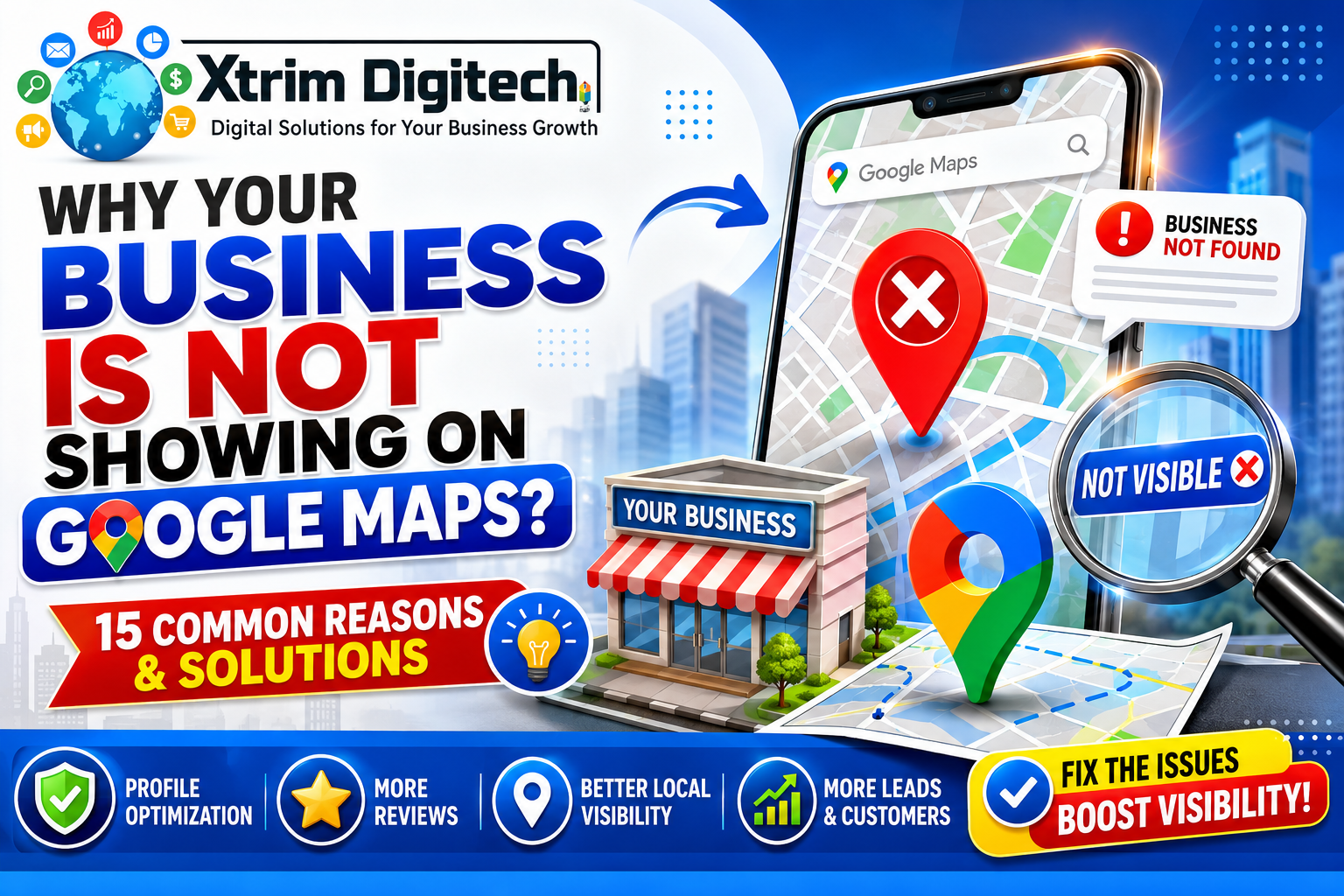
Why is my business not showing on Google Maps? This is one of the most common questions asked by business owners after creating a Google Business Profile. Whether you run a clinic, hospital, law firm, restaurant, coaching institute, real estate agency, or digital marketing company, appearing on Google Maps is essential for attracting local customers.
Many business owners assume that creating a Google Business Profile automatically guarantees visibility. However, Google uses multiple ranking factors and verification processes before displaying businesses in local search results.
At Xtrim Digitech Pvt Ltd, we frequently help businesses diagnose and resolve Google Maps visibility issues through Google Business Profile Optimization, Local SEO, Website SEO, and Reputation Management services.
This guide explains the most common reasons why your business may not be appearing on Google Maps and how to fix each issue.
Why Google Maps Visibility Matters
Google Maps has become one of the most powerful lead generation platforms for local businesses.
Benefits of appearing on Google Maps include:
- More customer calls
- Increased website traffic
- Better local visibility
- Higher trust and credibility
- Increased foot traffic
- More enquiries and conversions
Businesses that fail to appear on Google Maps often lose customers to competitors who rank higher in local search results.
Reason #1 – Your Google Business Profile Is Not Verified
One of the most common reasons businesses fail to appear on Google Maps is incomplete verification.
Google requires verification before displaying most business profiles publicly.
If verification is pending:
- Your business may not appear in searches
- Customers cannot find your listing
- Rankings may be limited
Solution
Complete the verification process through the methods provided by Google.
After successful verification, visibility typically improves significantly.
Reason #2 – Your Business Profile Was Recently Created
Newly created Google Business Profiles may take time to appear.
Google often needs time to:
- Review information
- Validate business details
- Process verification
- Assess trust signals
Solution
Continue optimizing the profile and allow time for Google’s systems to process the listing.
Patience is important for new profiles.
Reason #3 – Incorrect Business Category Selection
Categories help Google understand your business.
If the primary category is inaccurate, your profile may struggle to appear for relevant searches.
Example:
A business providing SEO services should not choose “Advertising Agency” as its only category if “SEO Agency” is more accurate.
Solution
Select:
- The most relevant primary category
- Appropriate secondary categories
Accurate categorization improves visibility.
Reason #4 – Incomplete Google Business Profile
Google favors complete business profiles.
Missing information may reduce rankings.
Common missing details include:
- Business description
- Services
- Website link
- Working hours
- Photos
- Contact details
Solution
Complete every available section within the profile.
Fully optimized profiles typically perform better.
Reason #5 – Suspended Google Business Profile
A suspended profile will not appear publicly.
Suspensions may occur due to:
- Guideline violations
- Misleading information
- Keyword stuffing
- Address issues
- Multiple listings
Solution
Identify the cause of suspension and submit a reinstatement request after correcting violations.
Reason #6 – Inconsistent Business Information
Google expects consistency across the internet.
Your:
- Business name
- Address
- Phone number
should match across:
- Website
- Google Business Profile
- Directories
- Social media platforms
Solution
Audit all business citations and correct inconsistencies.
Consistent information strengthens trust signals.
Reason #7 – Your Website Has Poor Local SEO
Google often uses website signals to evaluate local businesses.
A weak website can negatively impact local rankings.
Common issues include:
- Poor content
- Missing location pages
- Slow loading speed
- Technical SEO problems
Solution
Improve:
- Technical SEO
- On-page SEO
- Local content
- Mobile usability
A strong website supports stronger Maps visibility.
Reason #8 – You Have Very Few Reviews
Reviews are one of the strongest local ranking signals.
Businesses with little or no review activity may struggle to rank.
Solution
Develop a review generation strategy.
Encourage satisfied customers to leave genuine reviews.
Focus on:
- Consistency
- Authenticity
- Customer experience
Reason #9 – Poor Review Quality
Review quality matters as much as quantity.
Google evaluates:
- Rating score
- Review content
- Customer engagement
Solution
Deliver excellent customer service and encourage detailed reviews from real customers.
Reason #10 – Lack of Profile Activity
Inactive profiles often lose visibility over time.
Google prefers businesses that actively manage their listings.
Solution
Regularly:
- Upload photos
- Publish posts
- Update services
- Respond to reviews
Active profiles typically perform better.
Reason #11 – Duplicate Business Listings
Duplicate listings create confusion for Google.
This can dilute ranking signals and reduce visibility.
Solution
Identify duplicate profiles and request removal or merging through Google’s support process.
Reason #12 – Competitive Market Conditions
In highly competitive industries, visibility can be difficult.
Examples include:
- Hospitals
- Dentists
- Real Estate
- SEO Agencies
- Restaurants
Solution
Focus on:
- Review generation
- Website SEO
- Local citations
- Content marketing
- Authority building
Competition requires stronger optimization efforts.
Reason #13 – Weak Local Citations
Citations are online mentions of your business.
Examples include:
- Justdial
- IndiaMART
- Sulekha
- Yellow Pages
Missing or inconsistent citations can weaken local trust signals.
Solution
Build accurate citations across trusted directories.
Reason #14 – No Local SEO Content
Google rewards businesses that demonstrate local relevance.
Many businesses rely solely on their Google Business Profile without supporting content.
Solution
Publish content such as:
- SEO Services in Indore
- Best Digital Marketing Company in Indore
- Local SEO Guide for Businesses
- Google Maps Ranking Tips
Local content improves relevance.
Reason #15 – Your Business Is Too New
New businesses often lack authority signals.
Google evaluates:
- Reviews
- Website authority
- Citations
- Brand mentions
- Customer interactions
Solution
Continue building trust and authority through consistent SEO and customer engagement efforts.
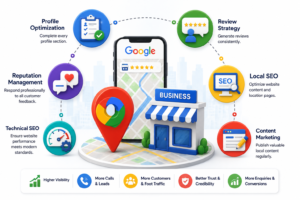
How to Improve Google Maps Visibility Faster
Businesses can accelerate growth by focusing on:
Profile Optimization
Complete every profile section.
Review Strategy
Generate reviews consistently.
Local SEO
Optimize website content and location pages.
Content Marketing
Publish valuable local content regularly.
Reputation Management
Respond professionally to all customer feedback.
Technical SEO
Ensure website performance meets modern standards.
Common Mistakes Businesses Make
Many businesses unintentionally hurt their rankings.
Mistakes include:
- Keyword stuffing business names
- Using fake addresses
- Creating duplicate listings
- Buying fake reviews
- Ignoring profile updates
- Inconsistent contact information
Avoiding these mistakes helps maintain long-term visibility.
How Long Does It Take to Appear on Google Maps?
Timelines vary based on:
- Verification status
- Competition level
- Optimization quality
- Business authority
Typical expectations:
- Newly verified profiles: several days to weeks
- Local ranking improvements: 2–6 months
- Competitive industries: 6–12 months
Consistency is key.
Why Businesses Choose Xtrim Digitech for Google Maps SEO
Xtrim Digitech Pvt Ltd helps businesses improve local visibility through:
- Google Business Profile Optimization
- Local SEO
- Technical SEO
- Website Development
- Content Marketing
- Reputation Management
- Google Ads Services
Our goal is to help businesses generate more calls, leads, and customers through local search.
Summary
Businesses may fail to appear on Google Maps due to verification issues, incomplete profiles, poor category selection, weak website SEO, insufficient reviews, duplicate listings, inconsistent citations, or lack of local authority. Identifying and fixing these issues can significantly improve visibility and local search performance.
FAQs – Business Not Showing on Google Maps
Why is my Google Business Profile not showing on Google Maps?
Common reasons include incomplete verification, poor optimization, incorrect categories, suspension issues, or weak local SEO signals.
How long does it take for a business to appear on Google Maps?
Newly verified profiles may take several days or weeks to appear fully in search results.
Do reviews help businesses appear on Google Maps?
Yes. Reviews are among the most important local ranking factors.
Can website SEO affect Google Maps rankings?
Yes. Website authority and relevance strongly influence local visibility.
Can duplicate listings hurt rankings?
Yes. Duplicate profiles can confuse Google and weaken ranking signals.
Conclusion – Why Your Business Is Not Showing on Google Maps
If your business is not showing on Google Maps, the problem is often related to verification, profile optimization, reviews, website SEO, citations, or overall local authority. By identifying the root cause and implementing the right Local SEO strategies, businesses can significantly improve visibility, attract more customers, and compete effectively in local search results. Consistent optimization and ongoing profile management remain the keys to long-term Google Maps success.